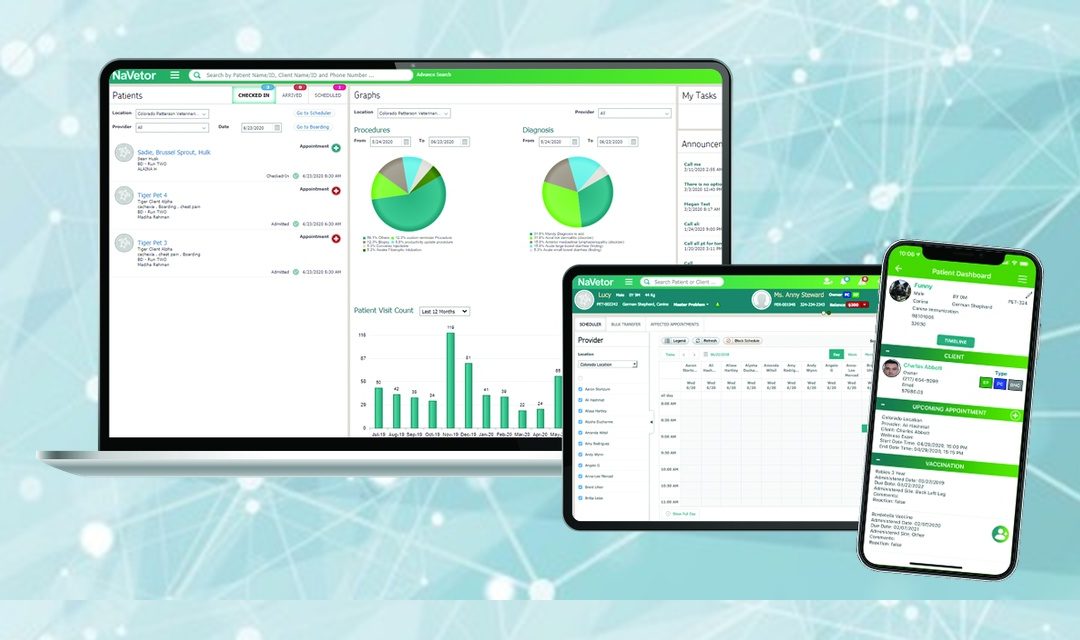
During 2025, Patterson Veterinary relaunched a refreshed NaVetor cloud software after acquiring full rights. Today, NaVetor is packed with powerful new features and supercharged with AI capabilities that enhance the way veterinary teams work. Here’s a summary of all the ways that NaVetor is new-and-improved.
Before adding anything new, Patterson made NaVetor better from the ground up. The platform was refreshed and optimized, and users started to notice the improved speed, responsiveness, and security. More than just a new coat of paint, the result was a solid foundation to support a growing veterinary practice for years to come.
New Capabilities in 2026
Two-Way Texting from Within NaVetor
Client communication just got a whole lot easier. NaVetor now supports full two-way texting within the software, so your team can send and receive messages with clients directly within the platform without switching apps or missing threads. Every text conversation is automatically documented, keeping your communication history complete and compliant. You can even send and receive documentation and imaging attachments via text, making it simple to share discharge instructions, lab results, or photos with pet owners in the way they actually prefer to communicate.
Enhanced SOAP Notes for Better Care Continuity
NaVetor’s SOAP note functionality has been meaningfully upgraded. Veterinarians can now add plan notes directly within the SOAP, and those notes automatically become part of the patient’s permanent medical history. This means critical context such as the nuances of a treatment plan, a doctor’s specific instructions, or follow-up considerations are never lost between visits. This was a big customer request to help practices with continuity of care.
A New AI-Powered Assistant
Perhaps the most exciting development in NaVetor’s 2026 evolution is the introduction of an AI Assistant as a genuine productivity tool designed around the realities of a busy veterinary practice. Here’s a look at the major categories of AI capabilities now available:
- Client Communications
NaVetor’s AI assistant can draft polished, professional client messages in seconds, including post-visit follow-ups, appointment reminders, no-show outreach, and policy explanations. It can even summarize long text conversations so your team always has context, and it supports multilingual message drafting and translation, helping you communicate clearly with every client regardless of language. - Scheduling and Appointments
Ask NaVetor’s AI Assistant to pull up today’s schedule, review a client’s appointment history, check on a patient’s upcoming visits, or look up available appointment slots — all without clicking through multiple screens. It can also surface appointment types, providers, and statuses at a glance, streamlining how your front desk manages the day. - Medical Records
Give your care team instant access to the information they need. NaVetor’s AI Assistant can retrieve a patient’s full medical history and visit record, surface outstanding reminders for vaccines and services that are due, and review prescription and refill history, all through a simple command or prompt. Less time searching means more time focused on patient care. - Inventory Management
Stay ahead of inventory challenges without the manual legwork. NaVetor’s AI can search inventory by name, category, or supplier; flag items that are low, expired, or approaching expiration; surface lot numbers and quantities; and filter controlled substance inventory for DEA compliance review. It’s the kind of oversight that used to require a dedicated team member but is now available on demand, freeing that team member to work on other tasks. - Data Retrieval and Practice Insights
Need to find a client by phone number? Look up a patient by microchip? Convert a complex record into a quick staff summary? NaVetor’s AI Assistant handles it all and can even pull related data simultaneously, so your team gets a full picture fast. It’s like having an incredibly fast, always-accurate team member who knows every corner of your practice data. - Invoicing, Financial Checks, and Operational Workflow
NaVetor’s AI Assistant can identify pricing gaps, flag items priced below cost, and surface tax-related issues before they become problems. On the operational side, it can help generate staff call scripts, checklists, and SOPs; create role-based prompt templates for front desk, tech, and doctor workflows; and support the kind of day-to-day operational consistency that makes a well-run practice feel effortless.
And this is only the beginning. NaVetor’s list of AI capabilities is constantly growing, with new tools and enhancements being added regularly based on the real-world feedback from veterinary teams like yours.
The Smart, Stable Choice for Your Practice
Patterson is committed to offering innovative software at a great value, with flexible options for growing practices. That commitment is shown through a continuous investment in new features; industry-leading support via email, live chat, and scheduled callbacks; and constant enhancements to the platform based on real customer feedback.
One affordable monthly subscription includes NaVetor’s client-facing mobile app, the practice-facing mobile app, two-way texting, unlimited client communications through email and text, and the AI Assistant. Patterson also makes switching simple, with special offers on data conversions, training, and onboarding support to get your team up and running fast.
Ready to see NaVetor in action?
Request a personalized demo today and discover how NaVetor can help your practice flow through every day with greater ease, efficiency, and confidence.